
The new Speak Agent version 3.8.2 adds a new tool for teachers to showcase student visual representations for the whole class, as well as several small improvements.
Updates to Learning Activities
Showcasing Visual Representations
The Maryland PreK-12 Mathematics Policy specifically prioritizes using visual representations as a learning support. Other states are moving in a similar direction. This new feature, therefore, builds upon the existing Drawing Board activity to give teachers a tool to showcase visual representations that students created in Drawing Board.
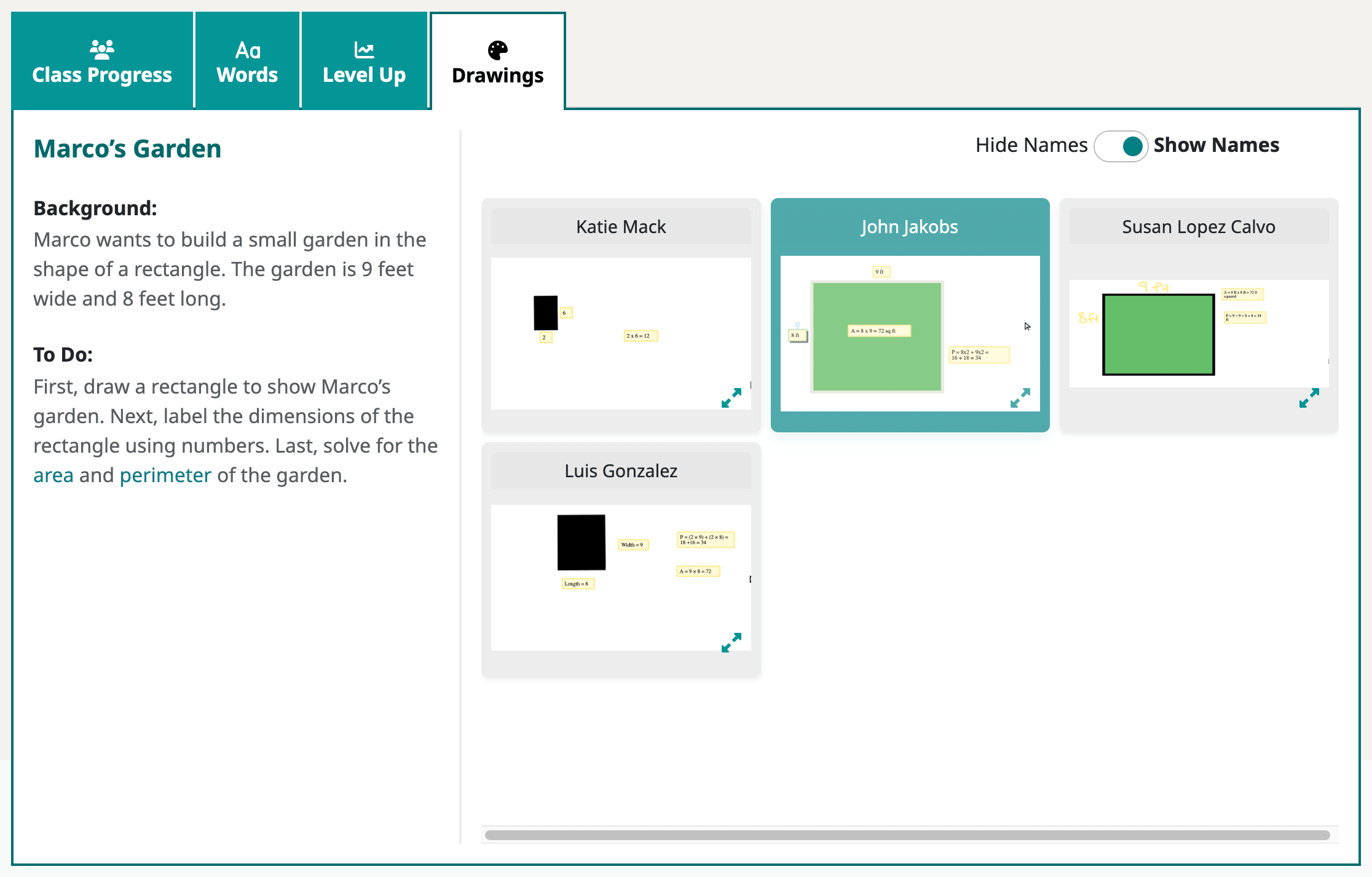
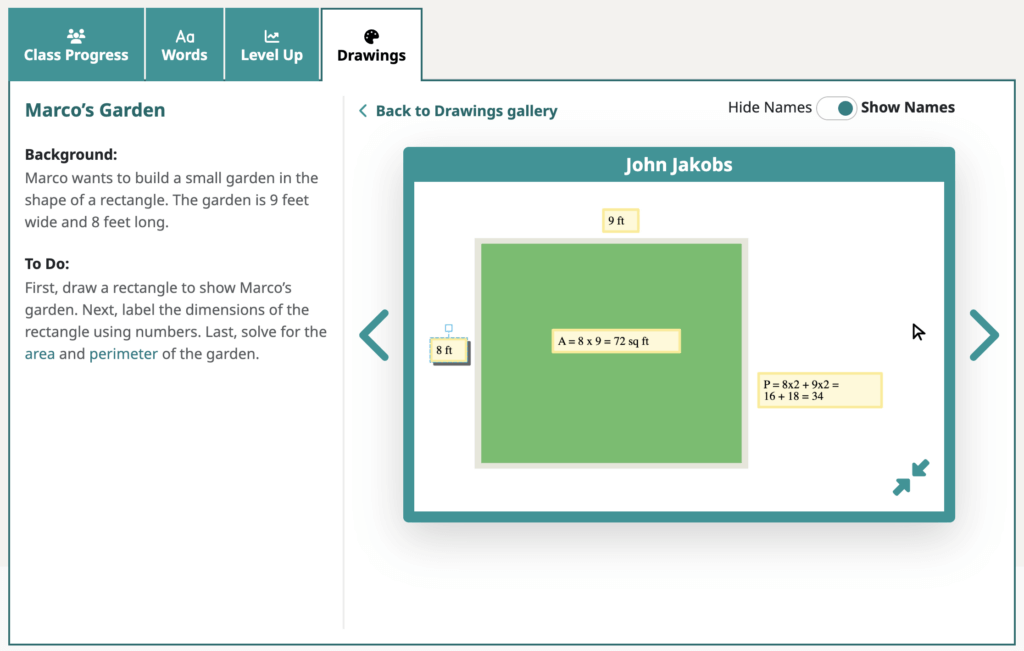
Teachers will find new tab in each relevant class lesson report called Drawings. This tab provides a tool for teachers to share student-made visual representations to the whole class on a projector screen.
- Teachers may navigate the drawings from a gallery view or expand to a zoomed-in view. Just click on a drawing thumbnail to expand it!
- Teachers may also decide whether to show or hide student names.
- Here is a one-minute video about the new feature.
- Here is a step-by-step Knowledge Base article.
- Thank you to the PGCPS Math team for suggesting this feature!
Gallery view:
Expanded view:
Please note: Only Drawing Board activities completed after the release date will display in the Drawings tab. Older activities will still be in the student portfolio.
Minor Changes
- Level Up. Added an extra space at the start of each question to improve readability.
- Read Along. Added a grey border to transparent images and extra padding between captions and the main body text.
- Scrambled Sentences. Added line breaks between sentences in the story recap to improve readability.
- Scrambled Words. Removed captions from the zoomed-in image view, since these were not relevant to the learning task.
Teacher Features
Classes | Hidden Tabs
There are two changes you will notice when navigating to a class page in Speak Agent:
- The Level Up tab now only displays if the lesson contains a Level Up activity. Otherwise the tab is hidden.
- Likewise, the new Drawings tab only displays if the lesson contains a Drawing Board activity. Otherwise it is hidden.
Bug Fixes
- Potentially fixed a space bar issue affecting a small number of students using Read Along and Math Problem Maker. If you are still experiencing this issue with the new release, please contact us and tell us what device the student is using, what browser version, and whether they still get the issue if they login on a different device.
- Fixed two minor issues with Drawing Board related to the colors menu and the special characters menu.
What’s Next?
Next, we are working on a Program Adoption Journey that will help teachers who are new to Speak Agent to navigate the onboarding process and to get connected with the right resources. It will also give school leaders the resources to support their team!
We are also exploring ways to enhance the My Voice activity, to add text transcriptions of student-created voice recordings, and to improve lesson search.
As always, we love hearing from teachers and administrators about new features. Please feel free to share your feature ideas, wishlist, or feedback on recent updates. Just contact your support team!