
You can translate text in any Speak Agent activity.
Directions:
- Press the Select Language button on the left side. This button may take a few moments to load if your internet connection is slow.

- Next, select a language by clicking it.
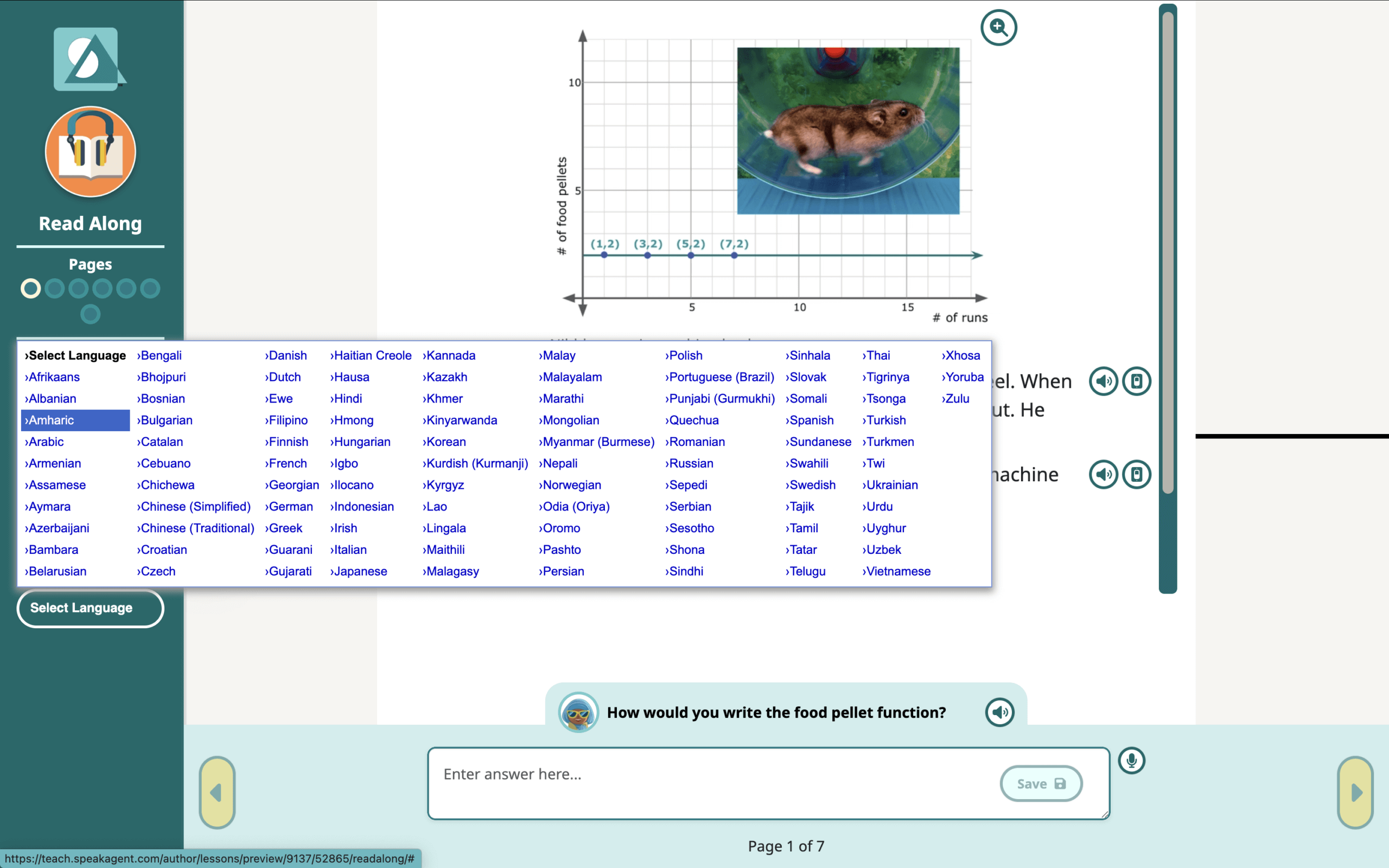
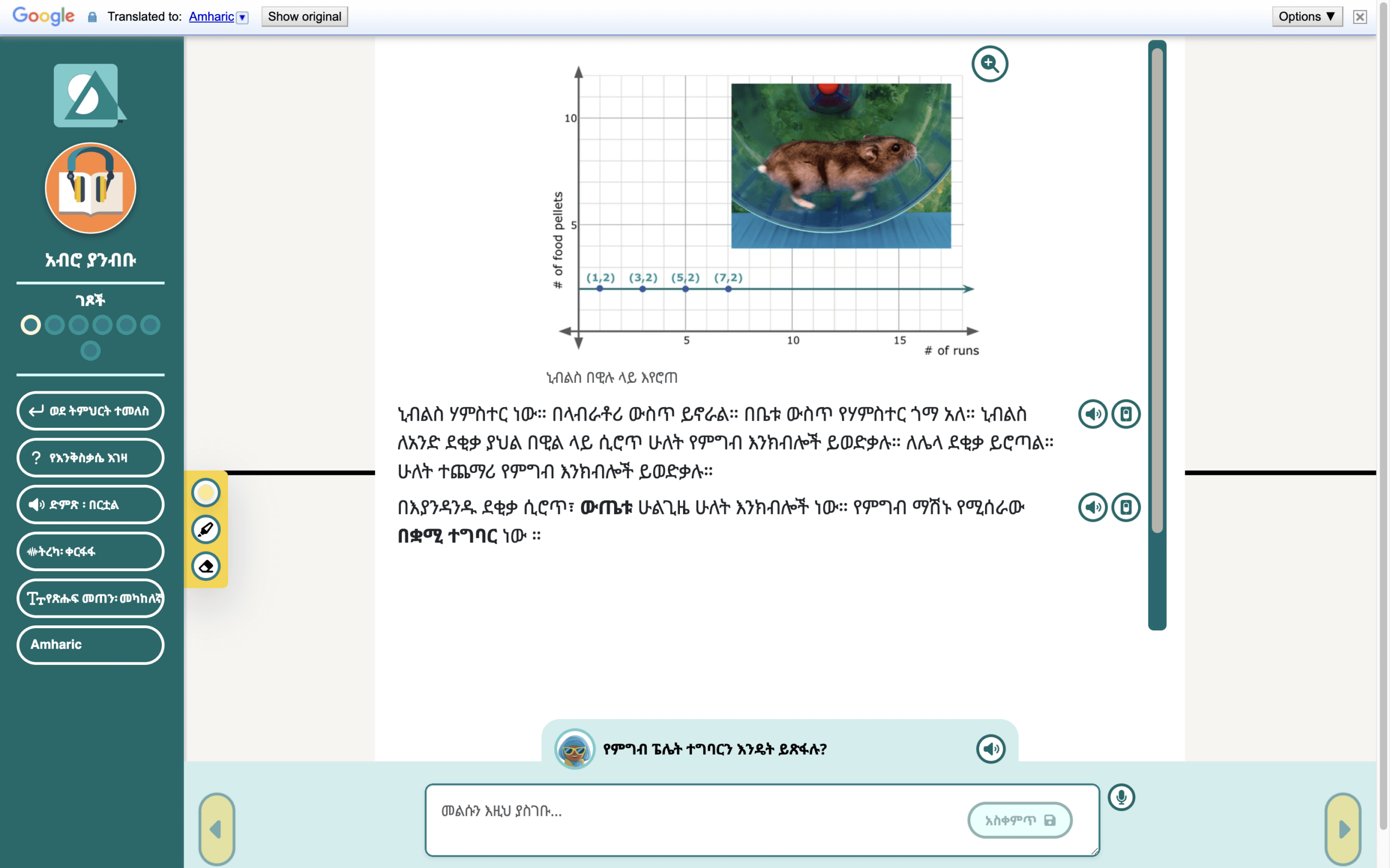
- Once you select a language, the page should immediately translate.
Important Notes
- The audio narration will remain in whatever language the lesson was written in. If the lesson was made in English, the audio will be English.
- When you exit the activity, Speak Agent will go back to the original language (normally English). This is by design. The translations are here to help students. But they are not meant to replace the language you are supposed to be learning!
If you enjoy learning languages, feel free to check out any language you are curious about! Just make sure you do the work you need to get done first. After a lesson is complete, you will find it on the Done page and can still redo most activities from there in any language you wish.

Mission accomplished!