Scenario:
You encountered an error message in Speak Agent and would like to report it and get it fixed.
Types of Bugs and Issues:
Can’t Find in Clever
If you can’t find Speak Agent anywhere in Clever, please reach out to your district’s technical support or IT team. Only your district can fix this problem.
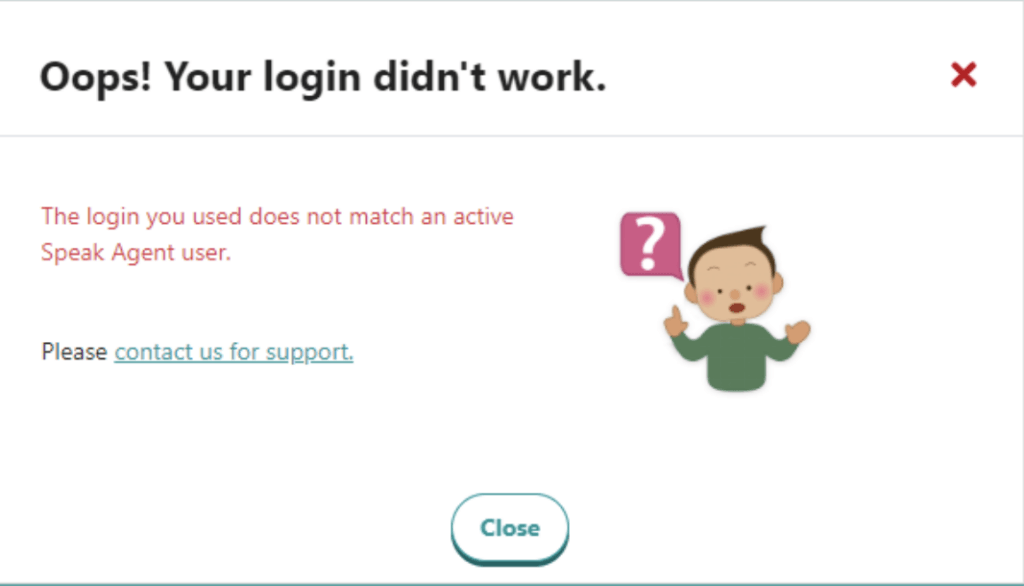
Sign In Error
If you sign in with Clever and see a message that the login does not match an active user (see below), only Speak Agent can fix this problem. Please contact us and tell us who is having the issue and whether it’s affecting one student, several students, or everyone!
Loading Error
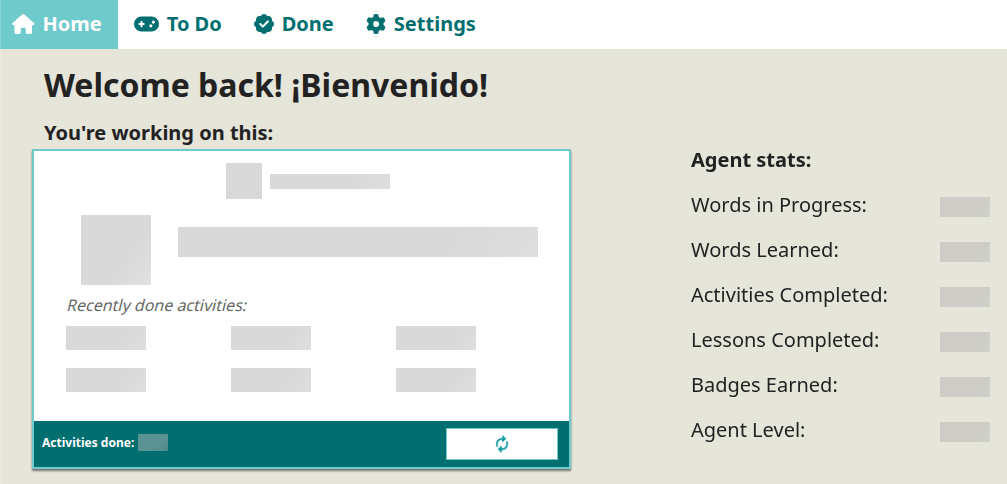
If you see grey bars on a student’s Home page (or your own) and nothing seems to load, this is a loading issue. These are the most difficult for us to track down because it could be specific to a Chromebook or other device. If you see this happen, please include the device ID# when you contact us so that we can troubleshoot with your tech coordinator on the same device where the error happened.
Activity Error
If a student gets an error with an activity, please have them go to  Report a Bug on the bottom of the page and choose which kind of problem they are having. Students can only report bugs when an activity is open. The image below shows the form that opens after students click “Report a Bug.”
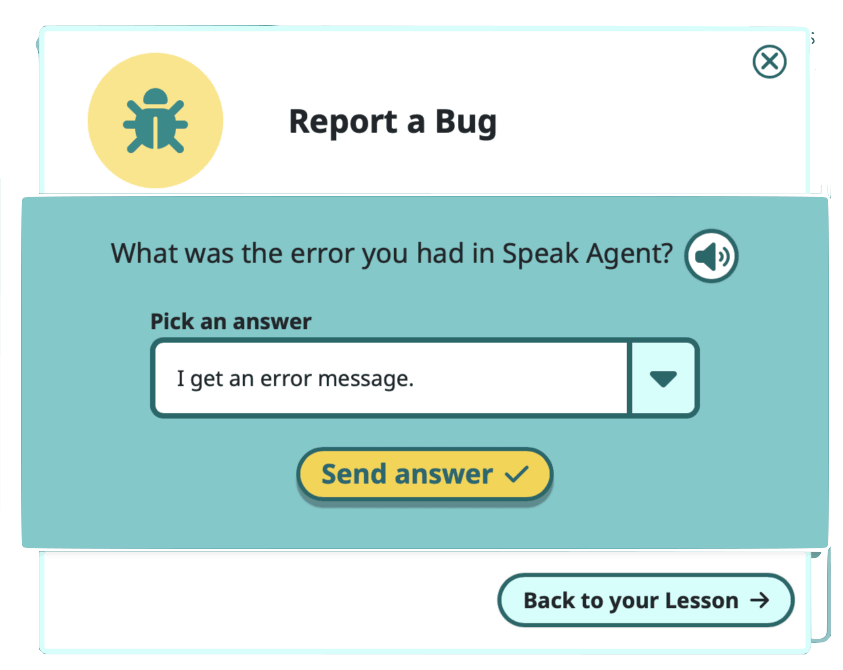
The Speak Agent app automatically collects information about where they spotted the bug or issue and what type of technology they are using so that we can efficiently track down and fix the problem. No personally identifiable information is solicited by the form. Students simply categorize the issue and press Send Answer. Then we reach out to the student’s teacher of record when the issue is resolved or if any further information is needed.
Please know that Speak Agent never contacts students without advance permission in writing from the school district.

Mission accomplished!