Scenario
As a school leader, you would like to track adoption of the Speak Agent program at your school.
Purpose
Adopting any new program takes time. Your teachers’ ultimate goal is to achieve the dosage of 10 activities per month. Our adoption tracking tool helps you visualize their progress toward each adoption milestone.
Watch this five-minute video for a walkthrough of the feature — or scroll down for step-by-step instructions.
How It Works
- Sign into Speak Agent and press the Get more detail button on the right side of the page.
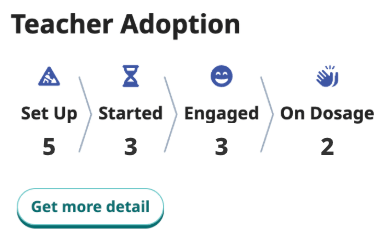
- The Program Adoption tracker shows you the progress each teacher has made in their adoption journey. You may filter teachers by content area using the dropdown or search by name. (Enter a teacher’s first or last name and press the Enter/Return key on your keyboard.)
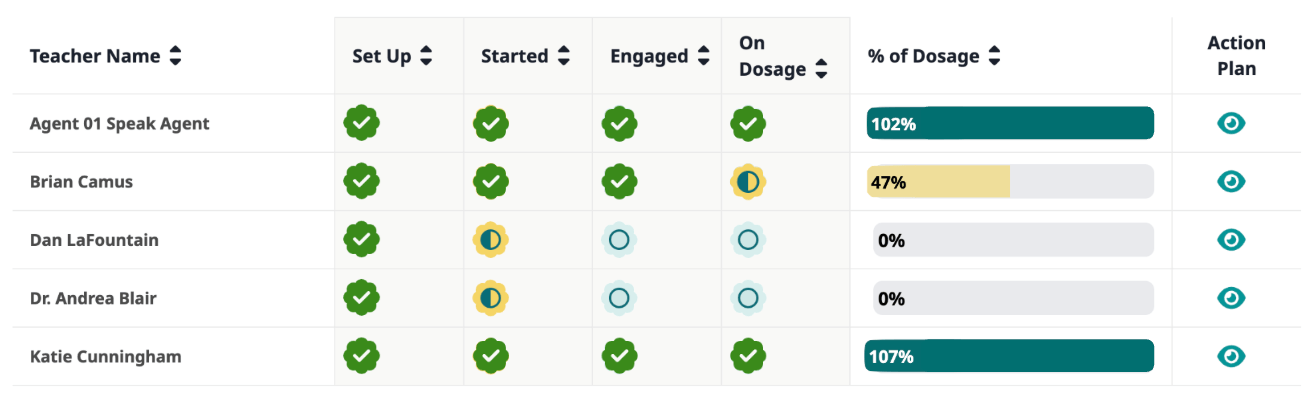
- If you would like to suggest next steps for a particular teacher, press the preview icon
 for their row in the Action Plan column. Each Action Plan is generated based on the teacher’s individual progress and includes Speak Agent resources appropriate for where they are in their adoption journey.
 - You can press the Copy button on the Action Plan sidebar to copy the full text of the boxed text to your clipboard. Simply paste it into a message to the teacher and edit or send, as you see fit!
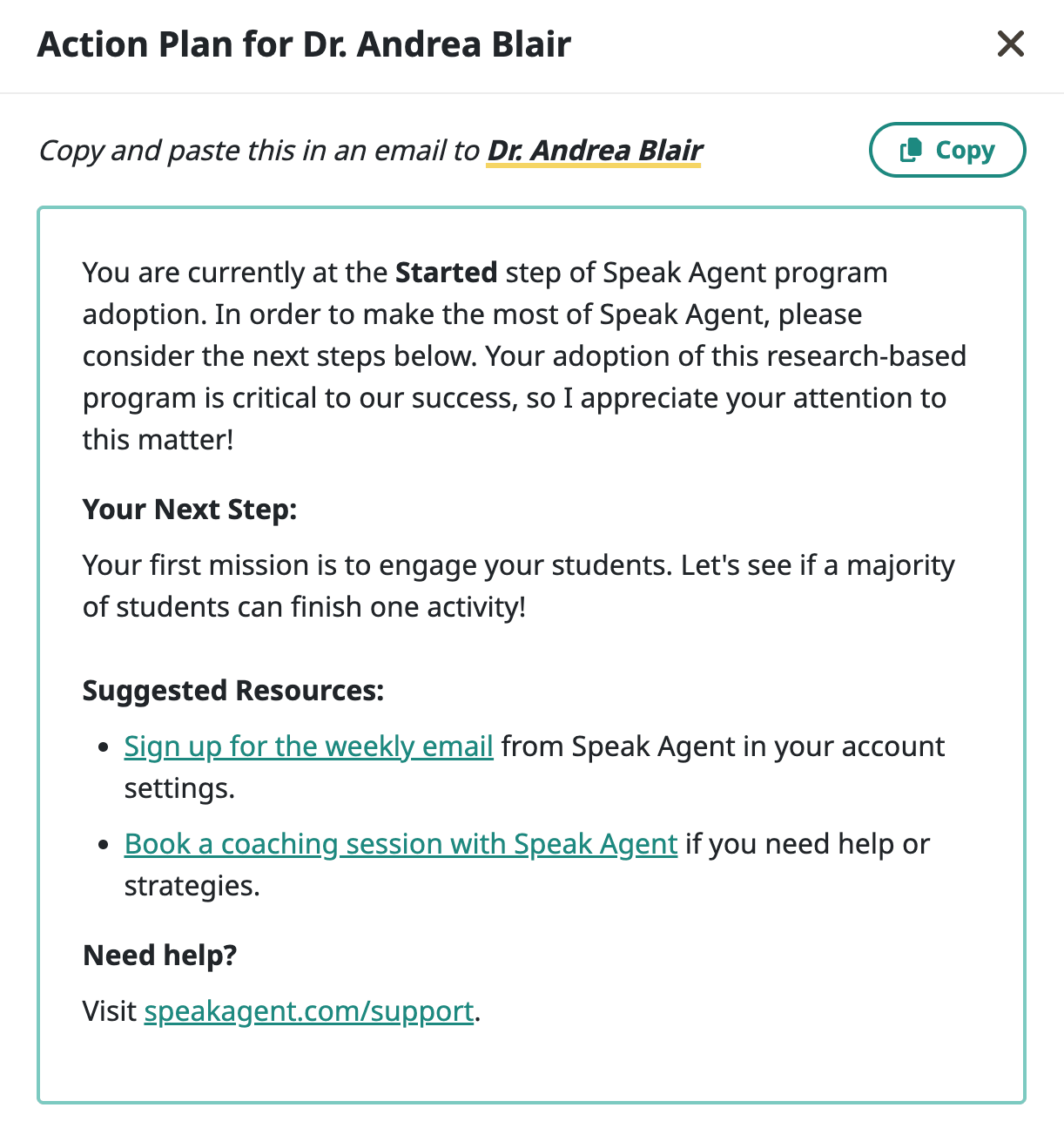
TIP: If you want to skip a step, you can also press the copy icon  on the list view to copy the text to your clipboard without having to open the action plan sidebar.

Mission accomplished!