
• Skip to primary navigation
  • Skip to main content
  • Skip to footer
the Speak Agent logo

Speak Agent

  • About
    • About Speak Agent
    • Helping Teachers
    • #1 in Instructional Technology
    • WIDA ELD Standards
    • Awards and Media Coverage
  • Programs
        • Programs Overview
        • What We Offer

        • Math + Language
          • Upper Elementary
          • Middle School
          • High School
          • Language in the Math Practices
        • Science + Language
          • Middle School
          • High School
  • Research & Evidence
        • Research Overview
        • What We've Learned

        • A Summary of Impact Studies
        • Four Hours, 10% Higher Math Scores
        • NSF Study Results with Science + Language
        • Student Engagement Matters!
        • The Learning Science Behind Speak Agent
        • Academic Language Drives the Achievement Gap
        • Putting Theory into Practice
        • ESSA Evidence
  • News & Insights
  • Talk to Us!
  • Sign In
  • Get Support
Home › Get Support & Help for Speak Agent › Knowledge Base

I Don’t See “Reports” as a School Leader

If you are a school leader who is meant to have access to Reports, please try these steps to reset your permissions:

1. Sign out of your Speak Agent account. Press the top-right orange Sign Out button:

Sign out button

2. Sign back into Speak Agent. (If you use Clever SSO, you can just relaunch the app from Clever.) That should reset your account permissions to add Reports!

You should now see Reports on the left-hand menu:
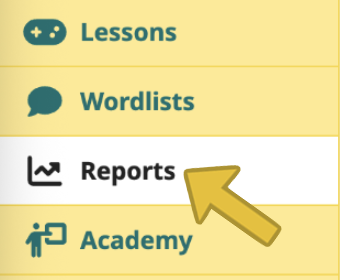
The Reports menu item

If you still do not see Reports, please open a support ticket to let us know and we’ll investigate!

Footer

Speak Agent logo
  • About the Team
  • Frequently Asked Questions
  • Contact Us
  • LinkedIn
  • YouTube
  • Podcast

Stay informed!

Subscribe to email updates from Speak Agent.

© 2025 Speak Agent, Inc | Privacy Policy Terms of Service