
• Skip to primary navigation
  • Skip to main content
  • Skip to footer
the Speak Agent logo

Speak Agent

  • About
    • About Speak Agent
    • Learning Supports for ELs and MLs
    • Helping Teachers
    • Teacher Spotlights
    • #1 in Instructional Technology
    • Awards and Media Coverage
    • WIDA ELD Standards
  • Programs
        • Programs Overview
        • What We Offer

        • Math + Language
          • Upper Elementary
          • Middle School
          • High School
          • Language in the Math Practices
        • Science + Language
          • Middle School
          • High School
  • Research & Evidence
        • Research Overview
        • What We've Learned

        • A Summary of Impact Studies
        • Four Hours, 10% Higher Math Scores
        • NSF Study Results with Science + Language
        • Student Engagement Matters!
        • The Learning Science Behind Speak Agent
        • Putting Theory into Practice
        • Effective for Multilingual Learners
        • ESSA Evidence
  • News & Insights
  • Talk to Us!
  • Sign In
  • Get Support
Home › Get Support for Speak Agent › Knowledge Base

How Students Access Lessons

Scenario:

Student need to get to an activity to do their work. Where do they go?

Steps:

  1. Students may sign in using Clever, ClassLink, or at teach.speakagent.com. (If you are not sure which, ask!)
  2. Now you are on the student Home page. The Home page shows all of your assigned lessons. (The image below is just an example.) The large box shows the most recently assigned lesson or the most recently worked on lesson. There is a little green checkmark inside it. This shows that 1 of 7 activities within that lesson are done. Click or tap anywhere on the box to load the lesson.
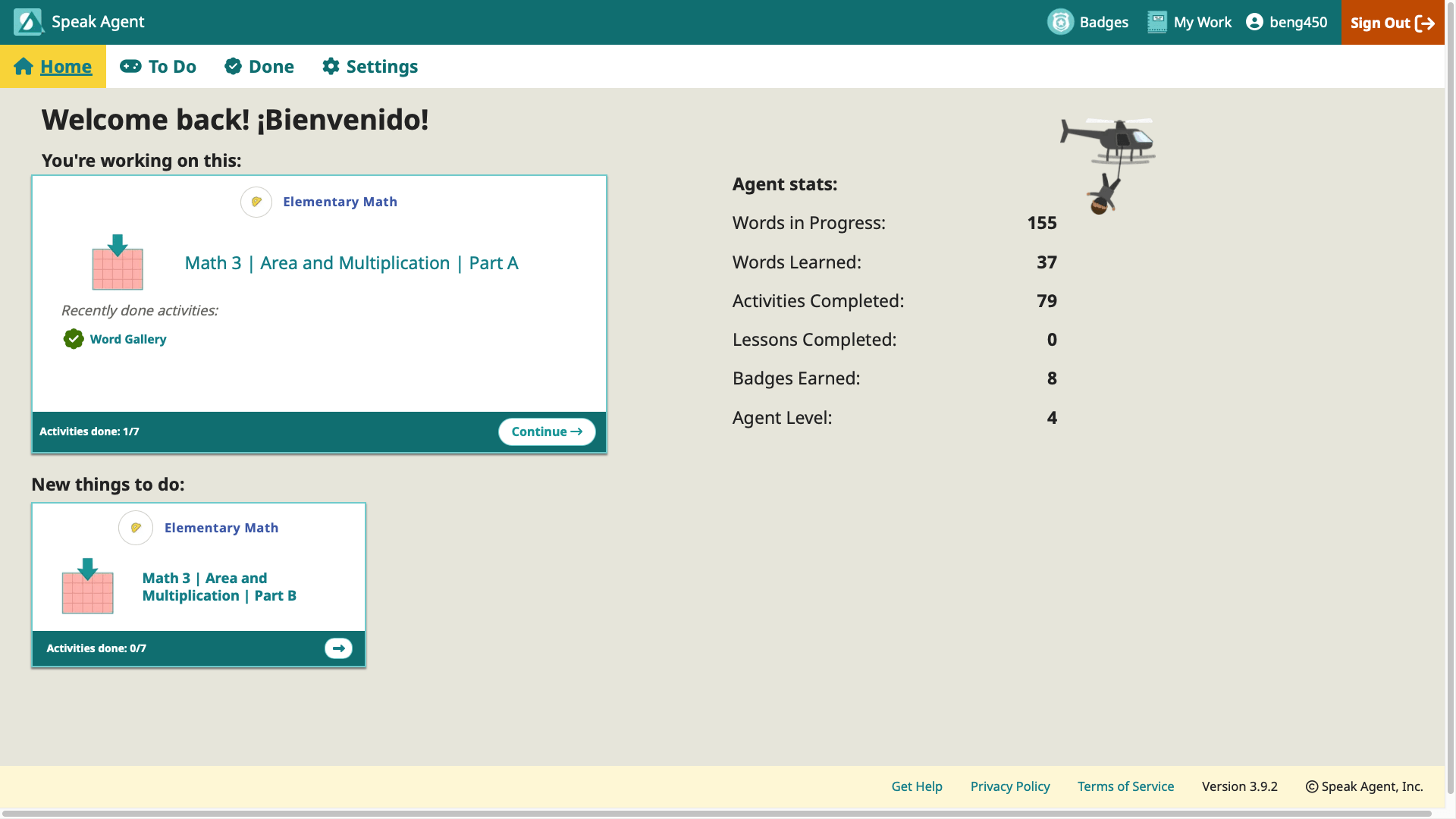
a screenshot of a student's home page in Speak Agent
  1. After clicking on a lesson box, Speak Agent will now load the lesson. A lesson contains many different activities like Word Gallery or Picture Pairs. In the example below, one activity is done. There are six left. In order to complete a lesson, you must finish all of the activities (except any “bonus” activities).
  2. Just click the activity to launch it. You will notice that many activities appear again and again. That’s because the activities are templates that have content specific to each unit. Different lessons have different activities based on the type of content.
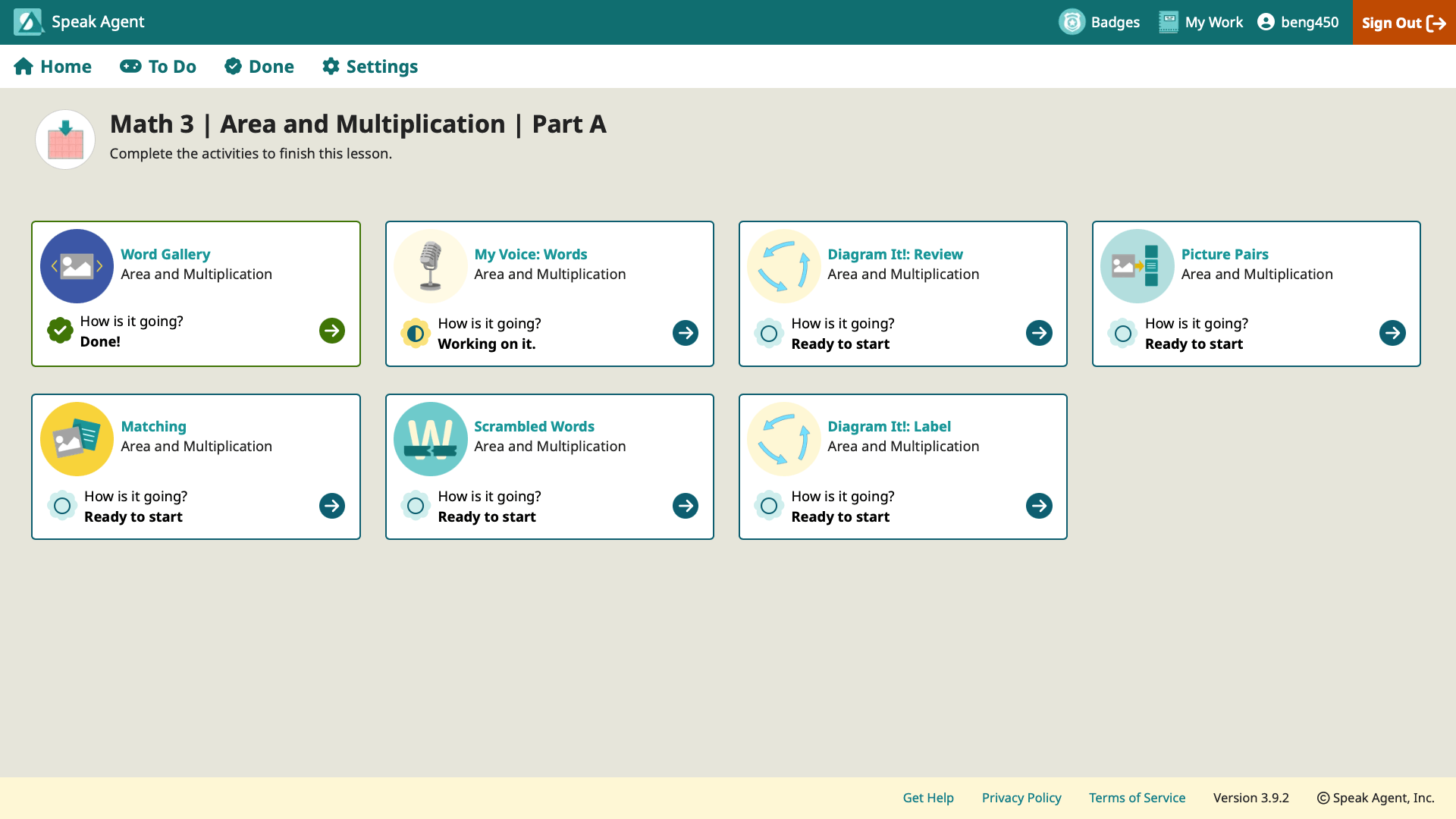
a screenshot of a student lesson in progress in Speak Agent
Super sleuth badge

Mission accomplished!

Footer

Speak Agent logo
  • About the Team
  • Frequently Asked Questions
  • Corporate Contact
  • LinkedIn
  • YouTube
  • Podcast

Stay informed!

Subscribe to monthly email updates from Speak Agent. (Dear Students: Sorry, this is for teachers only!)

© 2026 Speak Agent, Inc | Privacy Policy Terms of Service